
Ready to Start Selling?
Seller Vacations
To set your store on vacation mode go to the Seller Account and choose “Seller Vacations”
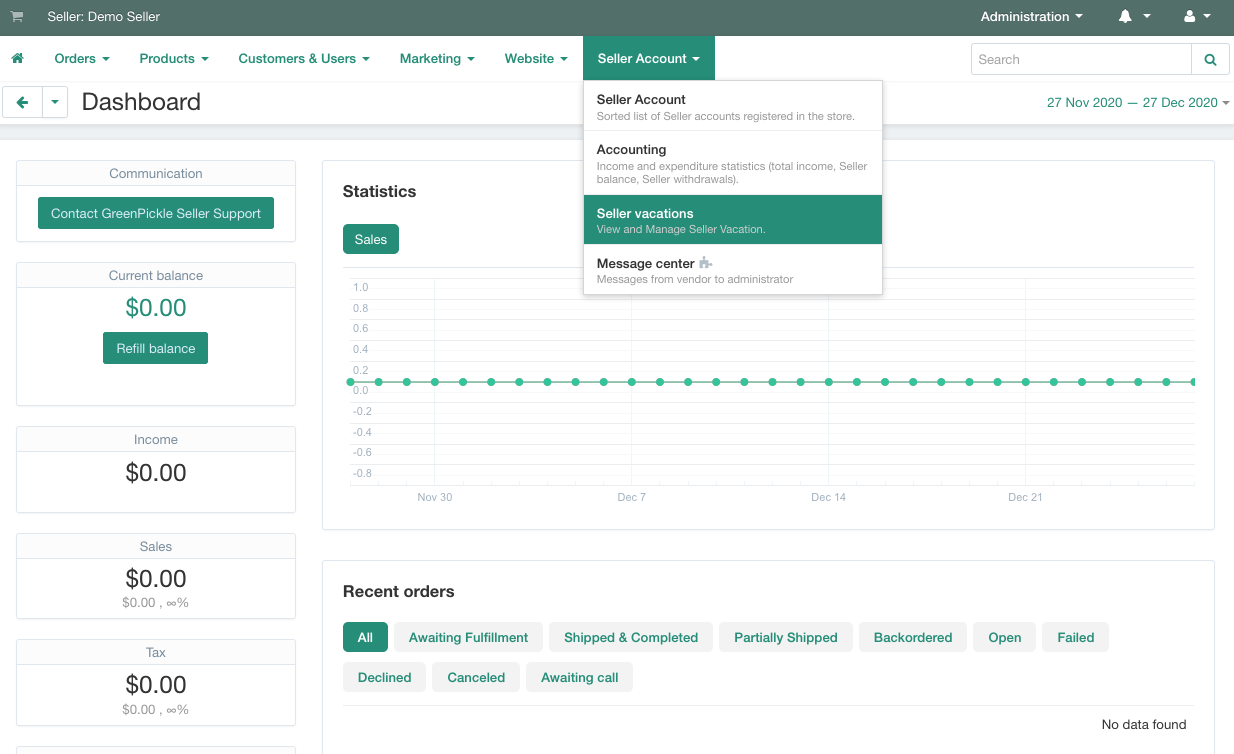
Then, to create new store vacation, click the Plus sign

Complete the following fields:
- Start Date: When your store starts vacation
- End Date: When your store re-opens
- Allow add to cart: Select this is you still want to accept orders while on vacations. Do not select this if customers should not be able to purchase
- Display return date: This will show customers the dates you will be on vacation
- Message for Store: This is the message the customer will see regarding your vacation
- Reason of vacation for admin: This message is for CellarsMarket Admin only
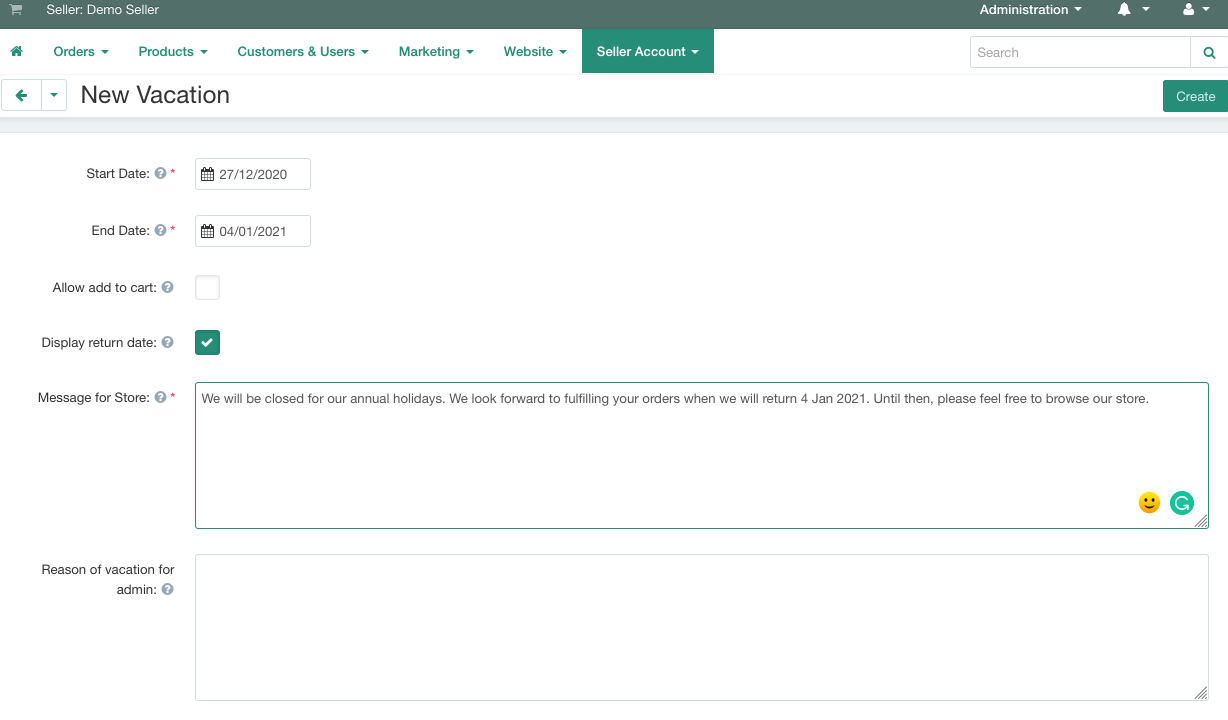
When you are finished click Create at top right hand.